


Boston.com
4.5272.00 Reviews
App Specs
- Version
- v5.12.19
- Updated On
- License
- Free
- Downloads
- 50,000+
- Developer
- Boston Globe Media Partners, LLC
- Categories
- News & Magazines
- Platform
- Android
Screenshots
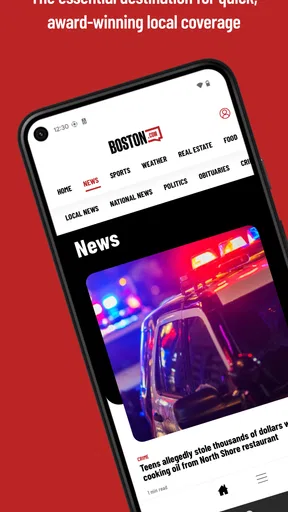
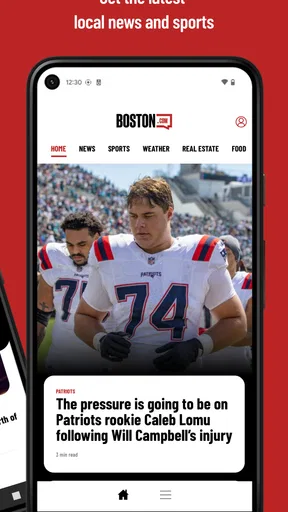
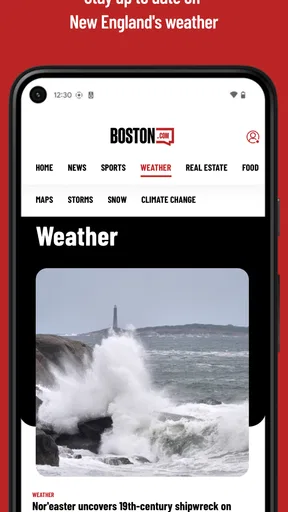

 Analysis by AppCompare
Boston.com is the kind of news app I open when I want to understand what is happening around Boston without sorting through a large national news feed first. It comes from Boston Globe Media Partners, LLC and focuses on the local stories, events, conversations, and practical information that shape everyday life in the area. After spending time with it, I see its main value in its sense of place: it feels built for someone who wants Boston to be the starting point rather than a small section inside a broader news service.
The app is free, rated for Everyone, and belongs to the News & Magazines category. Its average rating is 4.5 from around 800 ratings, while the app has passed 50 thousand installs. Those numbers suggest a useful level of adoption, but they are not the reason I would choose it. The real question is whether you want a distinctly Boston-focused reading experience, and for that audience, the answer is often yes.
How Boston.com fits into a daily news routine
I find a local news app most useful when it has a clear place in the day rather than becoming another feed to check out of habit. For a household that shares a phone or tablet, that can mean one person scanning Boston headlines over breakfast while another opens the app later for a story tied to their own plans. The next question is how to keep those reading habits distinct without assuming the app provides family or account controls.
A local-first view instead of a general news stream
Most news apps make you begin with a wide mix of national politics, international events, business headlines, sports, and entertainment. Boston.com takes a different approach. Its identity is tied to the city and the region, so the app makes more sense when you care about local context: what is changing in Boston, what people are discussing, and which stories affect the rhythm of life nearby.
I found that focus especially useful during short reading sessions. If I only had a few minutes while waiting for a train or sitting with coffee, I did not need to spend that time filtering out unrelated headlines. The local angle gave each visit a clearer purpose. Instead of asking what happened in the world, I could ask what matters in Boston today.
That does not make it a replacement for every other news source. A person who wants a complete national briefing, a financial terminal, or a single feed covering many cities will probably be better served by a broader news app. Boston.com works best as a companion with a defined job: keeping Boston close at hand.
The current experience is most valuable for residents and regular visitors
I would recommend it first to people who live in the Boston area, commute into the city, attend school there, or visit often enough to care about local developments. It can also help former residents who want a lightweight connection to the place they know. The app’s appeal depends on local relevance, so someone with no relationship to Boston may quickly run out of reasons to return.
Worth Reading Before You Choose

EA SPORTS FC Mobile 26 Is a Bigger Football Game, but It Takes Time

Flipboard Shows What News Apps Must Do Beyond the Feed

Switching to Android Auto Means Rethinking Your Driving Routine

Google Calendar Makes a Crowded Week Easier to Manage

Ludo King Makes the Most of the Minutes Between Plans

Baby Panda World Brings Quick Play to Modern Phones, but Its Game Library Feels Busy
A realistic everyday use case is a weekday morning commute. I might open the app before leaving home, scan the main local headlines, and then return later when I have more time for a story that affects my neighborhood or plans. That two-stage habit is more practical than trying to read everything at once. The app serves as a quick local briefing first, then a deeper reading destination when a headline earns attention.
Another useful routine is checking it before making weekend plans. Local news and city-focused coverage can provide context that national apps rarely offer. Even when I am not looking for breaking news, a Boston-centered feed helps me stay aware of the conversations surrounding the places I use.
What the app’s long history suggests
Boston.com was released on April 21, 2011, so this is not a new experiment searching for an audience. That history matters because local news products need time to establish a recognizable voice and a dependable reason to return. I approach it as a mature publication app rather than a temporary companion to a single event or campaign.
The current version is v5.12.19, which shows that the product has continued through multiple iterations. I would not treat a version number alone as proof that every part of the experience has been transformed, but it does indicate ongoing maintenance and development. For an app that people use to follow a changing city, continued attention is important: news habits, mobile operating systems, and reading expectations all move over time.
On Android, the listed minimum requirement is version 6.0. That makes the app accessible to many older devices, although the experience will naturally depend on the phone’s speed, screen, and system condition. If you are using an aging handset, I would keep expectations realistic about loading and scrolling, particularly when moving quickly between articles.
What feels different from using a mobile browser
The obvious alternative is simply opening Boston.com in a browser. That can be perfectly adequate, especially for occasional readers who do not want another app installed. The app becomes more worthwhile when Boston coverage is part of your regular routine and you want a dedicated place to return to instead of navigating through bookmarks or search results.
For me, the difference is less about a dramatic feature and more about attention. A dedicated app removes some of the distractions that come with browsing the wider web. I can open it with a specific local-news intention and leave when I am done. That focused habit is small, but it can make a difference for readers who are tired of algorithmic feeds that constantly pull them toward unrelated subjects.
At the same time, a browser remains the better choice for someone who already has a carefully organized reading system. If you use one news aggregator to combine local, national, and international sources, adding a separate app may feel redundant. Boston.com earns its place when its local focus is valuable enough to deserve its own shortcut.
How I would use it without turning news into a chore
I would avoid treating the app as an endless stream that must be exhausted. Local news can include a mixture of urgent developments, explanatory pieces, features, and lighter material. My preferred workflow is to scan first, choose one or two items with direct relevance, and stop before the session becomes passive scrolling.
That approach also helps with a common problem in news apps: opening them automatically without knowing what you want. With Boston.com, I would decide whether I am checking for a quick local overview or settling in to read. The app’s focused identity supports both habits, but the reader has to provide the boundary.
A second tip is to judge a story by its local usefulness rather than by its headline alone. A headline may catch attention because it sounds dramatic, while another quieter item may be more relevant to your commute, neighborhood, or plans. The value of this app is not only speed; it is the chance to connect news with the city you actually move through.
Where the experience can feel limited
The same focus that makes Boston.com useful can also narrow it. If you expect one app to cover the full news cycle, you may find yourself switching elsewhere for national and international reporting. That is not a flaw in the local concept, but it is an important trade-off before installing it.
I also would not choose it solely because the app is free. Free access makes trying it easy, but the more important consideration is whether you will use local coverage often enough to justify a dedicated place on your phone. Someone who visits Boston once a year may get more value from a general search or a browser session.
Another possible friction is the difference between reading quickly and following a story over time. A local news app can point me toward what matters, but serious readers may still want to compare reporting, look for wider context, or follow an issue through several sources. Boston.com is strongest as one trusted part of that process, not as an excuse to stop checking everything else.
What existing users should expect from the current version
Users who have kept the app installed through earlier releases should see v5.12.19 as part of the product’s continuing maintenance rather than assume it represents a completely new service. The important effect of an updated version is practical: continued compatibility and a current path for using the app as the publication evolves.
I would approach updates with a simple test. Does the app remain easy to open, scan, and read during the moments when I actually need local information? That matters more to me than a long list of interface changes. News software succeeds when it gets me to relevant reporting with little friction, then lets me leave without confusion.
For a new user, the current version is the sensible starting point because it reflects the present state of the app rather than an older experience. For a long-time user, the best way to evaluate it is by noticing whether the daily routine feels stable and whether local coverage remains worth returning to. The version history is useful context, but the real measure is continued usefulness.
Questions I would ask before installing
Is it really free? Yes, Boston.com is listed as free, so there is no purchase required simply to try the app. That makes it easy to test during a normal week rather than deciding from a description alone. I would give it several visits across different days, because a local news app’s value becomes clearer when you see how well it fits your routine.
Will it work on an older Android phone? The minimum operating system is Android 6.0, so devices running that version or newer meet the listed requirement. Hardware age still matters, however. A phone can satisfy the operating-system requirement and nevertheless feel slower than a recent device, especially when handling a busy news feed.
Is it suitable for children? The content rating is Everyone, which makes the app broadly accessible from an age-rating perspective. That does not mean every news story will be interesting or emotionally appropriate for every child, so parents should still use their own judgment about what young readers follow.
Does the rating guarantee that I will enjoy it? No rating can answer that for every reader. The app has a 4.5 average from around 800 ratings, which is encouraging, but your experience will depend heavily on whether Boston news is personally relevant and whether you prefer a focused publication app over an all-in-one aggregator.
Should I replace my other news apps with it? I would not make that recommendation automatically. If you already rely on a national news app, a local newspaper source, or a browser-based reading list, Boston.com can complement that setup. It is a better replacement only when your main need is Boston coverage and your existing tools make local stories difficult to find.
What I would like to see watched over time
The most important thing to watch is whether the app keeps its local identity while remaining easy to use. A Boston-focused product should not become so broad that it loses its reason to exist, but it also needs enough variety to stay useful beyond major breaking stories. That balance will determine whether people open it daily or only during unusual events.
I would also pay attention to how the experience handles repeat visits. A good local news app should make it simple to notice what is new without making every session feel identical. Returning readers need a clear sense of movement: new reporting, developing stories, and reasons to check back, not merely the same headline list waiting for attention.
Finally, I would judge future development by how well it serves practical reading. Faster access, clear story organization, comfortable article pages, and dependable behavior matter more than flashy additions. The app already has a long enough history to show that it is intended as a continuing product. Its next stage should deepen the usefulness of that relationship with Boston rather than chase features that do not help people understand their city.
My recommendation for the right kind of reader
I came away viewing Boston.com as a focused local-news tool rather than a universal news replacement. Its strongest quality is its commitment to Boston as the center of the reading experience. That makes it a natural choice for residents, commuters, students, frequent visitors, and anyone who wants local reporting close by without digging through a general-purpose feed.
I would skip it if you rarely need Boston information, already have a local-news workflow you genuinely enjoy, or want one app to cover every region and subject. In those cases, a broader aggregator or browser may be more efficient. Installing another app only makes sense when the local focus solves a real problem for you.
For everyone else, the low barrier is appealing: it is free, broadly age-rated, and available for Android devices meeting the listed system requirement. My advice is to use it deliberately rather than passively. Check it during a commute, before making local plans, or when you want a Boston-centered view of the day. Its real strength is not trying to be every kind of news app; it is giving local readers a clear reason to come back.
After using it in that role, I can recommend Boston.com as a practical addition to a personal news routine. It does not eliminate the need for wider sources, and its local scope will not suit everyone, but that scope is exactly why it can feel more useful than a crowded general feed. If Boston is part of your everyday life, this is a sensible app to try and judge through your own daily reading habits.
Pros
- Fast access to breaking Boston news and local updates.
- Useful coverage of sports
- weather
- politics
- and community events.
- Clean layout makes articles easy to browse on mobile devices.
- Local reporting provides context that national news apps often miss.
- Helpful alerts can keep readers informed about major developments.
Cons
- Some content may require a Boston.com or subscriber account.
- Frequent notifications can feel excessive unless carefully customized.
- Advertising may interrupt browsing and increase page-loading times.
- Coverage is strongly Boston-focused and less useful outside New England.
- Some articles may load slowly on weaker mobile connections.
FAQs for Boston.com
What is Boston.com, and what can I use the app for?
Boston.com is a local news and information app focused on the Boston area and New England. After exploring it, I found that it combines breaking news, politics, sports, weather, entertainment, lifestyle stories, restaurant coverage, and community updates. It is useful for keeping up with Boston events and headlines in one place, especially if you live in the region or plan to visit soon.
Is the Boston.com app free to download and use?
The Boston.com app is generally free to download, and users can access a selection of articles and updates without paying an installation fee. However, availability of specific stories, features, advertisements, and any subscription or registration requirements may change over time. Before downloading, check the current App Store or Google Play listing and review the publisher’s terms for the latest access conditions.
Does Boston.com provide live sports, local events, and breaking news?
Yes, Boston.com is designed to cover the topics that matter most to local readers, including breaking news, Boston-area events, and major regional sports stories. Coverage may include teams such as the Red Sox, Celtics, Bruins, and Patriots, along with schedules, analysis, and commentary. The depth and timing of updates can vary depending on the story and the editorial calendar.
Does the Boston.com app require an account or subscription?
You may be able to browse some Boston.com content without creating an account, but certain features or articles could require registration, consent to personalization, or a subscription depending on the current version of the service. Since access policies can change, I recommend checking the sign-in prompts and subscription information before relying on the app for unlimited reading. Always review recurring billing details carefully.
What permissions and privacy considerations should I know about before installing Boston.com?
As with most news applications, Boston.com may request permissions or collect information related to device usage, advertising, analytics, notifications, and personalization. Notification access can be useful for breaking news, while location-related features may support local content or weather recommendations. Before installation, review the privacy label on the relevant app store and the publisher’s privacy policy, particularly if you prefer limited tracking or fewer alerts.


